Everything Your Clinic and Patients Need, Built Into One System
iFertyCare® pairs an IVF clinic central software for doctors and staff with a free IVF fertility tracking app for patients so an update on one side shows up on the other almost instantly.
What Features Should IVF Clinic Software Have?
Good IVF clinic software needs four things: real-time treatment tracking, automated reminders, secure patient communication, and an easy setup.
iFertyCare® was built around exactly these four pillars, combined with a companion IVF App for patients so clinics and patients stay connected throughout treatment. This page walks through what each feature does, who it’s for, and why it was built that way.
Built Around Four Pillars
IVF Clinic Central Software Features
Everything doctors and clinic staff need to plan, track, and manage IVF treatment from one cloud dashboard.
IVF Treatment Masters Software
iFertyCare® comes pre-loaded with treatment templates — reusable cycle stages complete with drugs, tests & procedures — ready to use instantly. Staff pick the template matching the patient’s protocol or customise it to their own, and see at a glance which stages are configured and which still need attention.
Cloud-Based IVF Practice Management
iFertyCare® runs entirely in the cloud, so staff can monitor patient treatment from anywhere, with nothing to install locally. Onboarding is just as frictionless: a practice registers, selects its cycle pack, and once approved, the system allocates those cycles automatically — no manual bookkeeping needed.
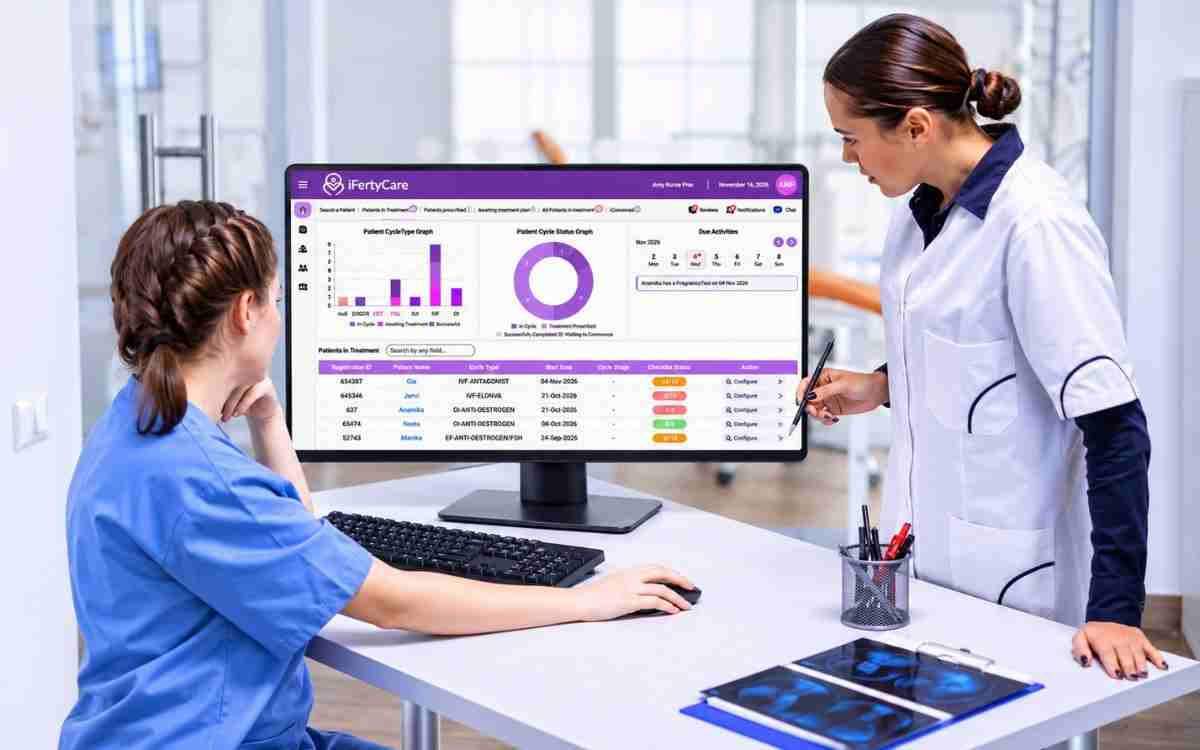
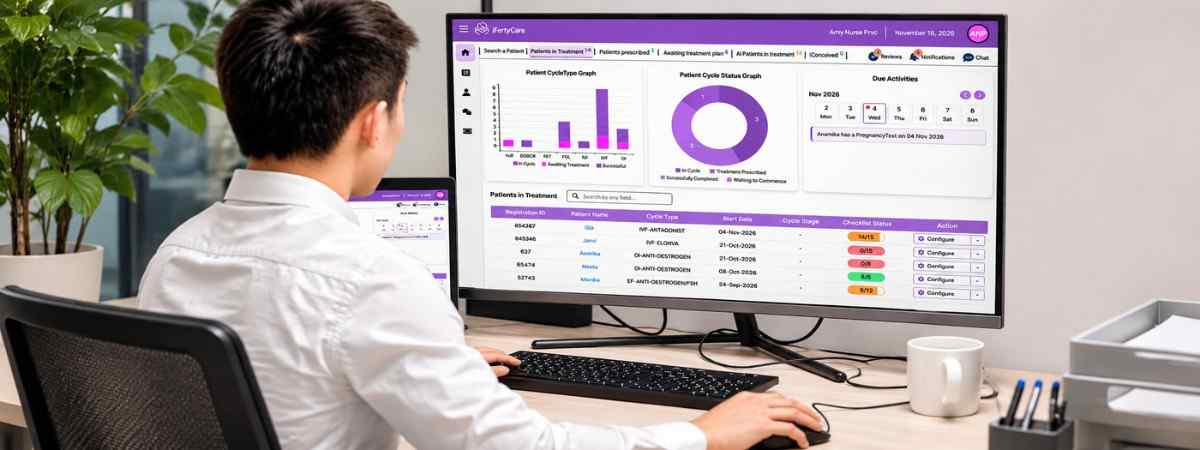
Daily Dashboard & Live Tracking
The dashboard gives staff a live view of every patient’s status, active clinics, and remaining vs. used cycles, with alerts when cycles run low. Reviews, notifications, and journey breakdowns appear together through grids — Patients in Treatment, Prescribed, Awaiting Treatment Plan, and Conceived Cases — plus graphs, replacing what used to be a manual spreadsheet.
Automatic Patient Reminders
The moment a doctor prescribes treatment, the assigned nurse is notified automatically and the patient is queued for configuration — no handoff to remember. Once the nurse confirms the order, the patient is notified straight to their phone, and any later change pushes the update out again automatically.
Multiple User-Access Levels
Each staff role — doctor, nurse, or administrator — sees only the screens and information relevant to that role, controlled centrally rather than by individual settings. Adding a new staff member is role-aware too, so the right permissions come built in, and one user can be attached to multiple clinics.
Exception Reporting
Because the system already groups patients by where they stand — awaiting a treatment plan, prescribed but not yet configured, and so on — anyone stalled at a stage is flagged and visible immediately. Staff can act straight away, without reviewing every patient file to track down who needs attention.
IVF Fertility Tracking App Features
Free to download on Android and iOS, and paired directly with the Clinic Central your doctor uses.

Fertility Cycle Timeline Tracker
Every medication, test, or injection on the patient’s timeline carries its own traffic-light indicator, based on the scheduled time for that task — so patients see at a glance what’s due, in its optimal window, or overdue. Time-critical steps like a trigger injection count down and change colour as the moment nears, so nothing gets missed. Reminders for the day sit right on the dashboard, and any update from the nurse reflects on the patient’s phone immediately.
Fertility Cycle Medication Tracker App
Dosing shown to the patient follows the exact logic the clinic configured: a trigger medication like the HCG shot appears as a one-time, time-specific entry, while ongoing medications show a day count and dosing pattern (once daily, twice daily, and so on) — whatever the doctor actually prescribed, not a generic reminder.
In-App Chat With Clinic Staff
Patients can message and call clinic staff directly through the app, so questions get answered without waiting for the next scheduled call. Messages and patient data are handled to strong data-privacy standards and encryption, which matters given how sensitive fertility treatment information is.
IVF App Resources
Beyond day-to-day tracking, the app gives patients a full support library: an IVF guide and terminology explainer to make medical terms easy to follow, useful external links for further reading, and a personal notes space to set their own reminders for medications, tests, or other health tasks — all in one place alongside their treatment timeline.
Why These Features Matter
Each feature on this page exists to solve a specific problem clinics and patients face during IVF treatment.
Less Admin Work for Clinics
Treatment templates mean staff aren’t rebuilding a cycle plan from scratch for every patient, and the doctor-to-nurse-to-patient notification chain means no one is manually calling to say “you’re up next” — the system already flagged it.
Less Anxiety for Patients
Because the patient’s timeline and medication tracker mirror exactly what the clinic configured — down to the specific stage and dose — patients are looking at their actual plan, not a generic checklist, which cuts out a lot of the guesswork that adds stress.
Lower Cost to Get Started
Setup runs through the cloud with no installation fee, and cycles are only allocated (and billed) once a pack is selected and approved — so a clinic’s cost tracks its actual usage from day one, visible on the same dashboard as everything else.
Frequently Asked Questions
Quick answers about iFertyCare®’s Clinic Central and IVF App features.
What features should IVF clinic software have?
It should offer real-time treatment tracking, automated patient reminders, secure communication, and an easy cloud-based setup — all features built into iFertyCare®’s Clinic Central.
Is the IVF fertility tracking app free?
Yes. The patient app is free to download on Android and iOS, and patients can download it at no cost at any time.
Does iFertyCare track my IVF cycle in real time?
Yes. Every medication, test, or injection on the timeline carries a traffic-light indicator, and any update from the nurse reflects on your phone immediately.
Can clinics manage multiple staff accounts?
Yes. Doctors, nurses, and administrators each get role-based access, and one user can be attached to multiple clinics.
Start Using iFertyCare® Features Today
Whether you’re a clinic wanting cloud-based IVF practice management or a patient looking for an easier way to track treatment, iFertyCare®’s features are built to work together from day one.